New Features and Enhancements in v4.9.1
In this article:
New Features:
1. Mobile Friendly Online Forms
2. New Automated Marketing Campaigns Available
3. New Full Tab Journal Entry Option
4. Optional Duplicate Serial Number Controls
Enhancements:
-
Speed improvements for the Payments and Refunds (Cash Flow) Report
-
Speed improvements for the Invoices and Returns Report
Other Quality Improvements and Minor Fixes:
-
Claims Tracking (Excel Only) Report has been improved to include all types of credits
-
Patient journal entry formatting corrections with the INSERT DATE / TIME tool
Features Enhancements:
1. Mobile Friendly Online Forms
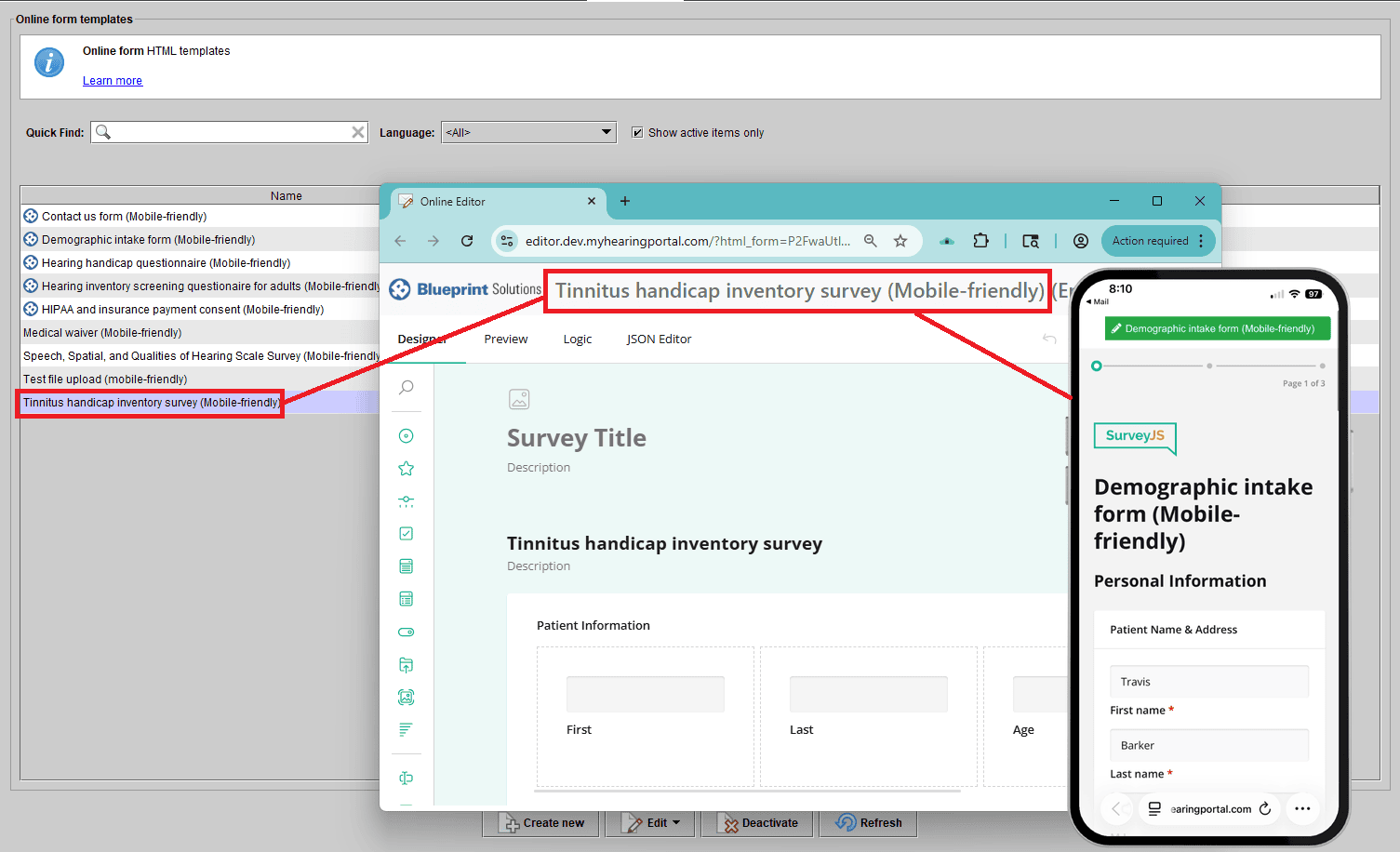
Blueprint OMS now offers mobile-friendly online forms, making it easier for patients to complete their forms directly from their smartphones or tablets.
Clinics can create and customize their own mobile-optimized forms, with powerful new features including:
- Patient image uploads
- Optional sliding scale responses
- Automatic total calculations within surveys
To help you get started quickly, several of our most popular online forms have already been converted and are ready to use.
You can access and manage these forms in Setup.
2. New Automated Marketing Campaigns Available
Take your patient engagement to the next level with new automated marketing campaigns designed to reach the right patients at the right time.
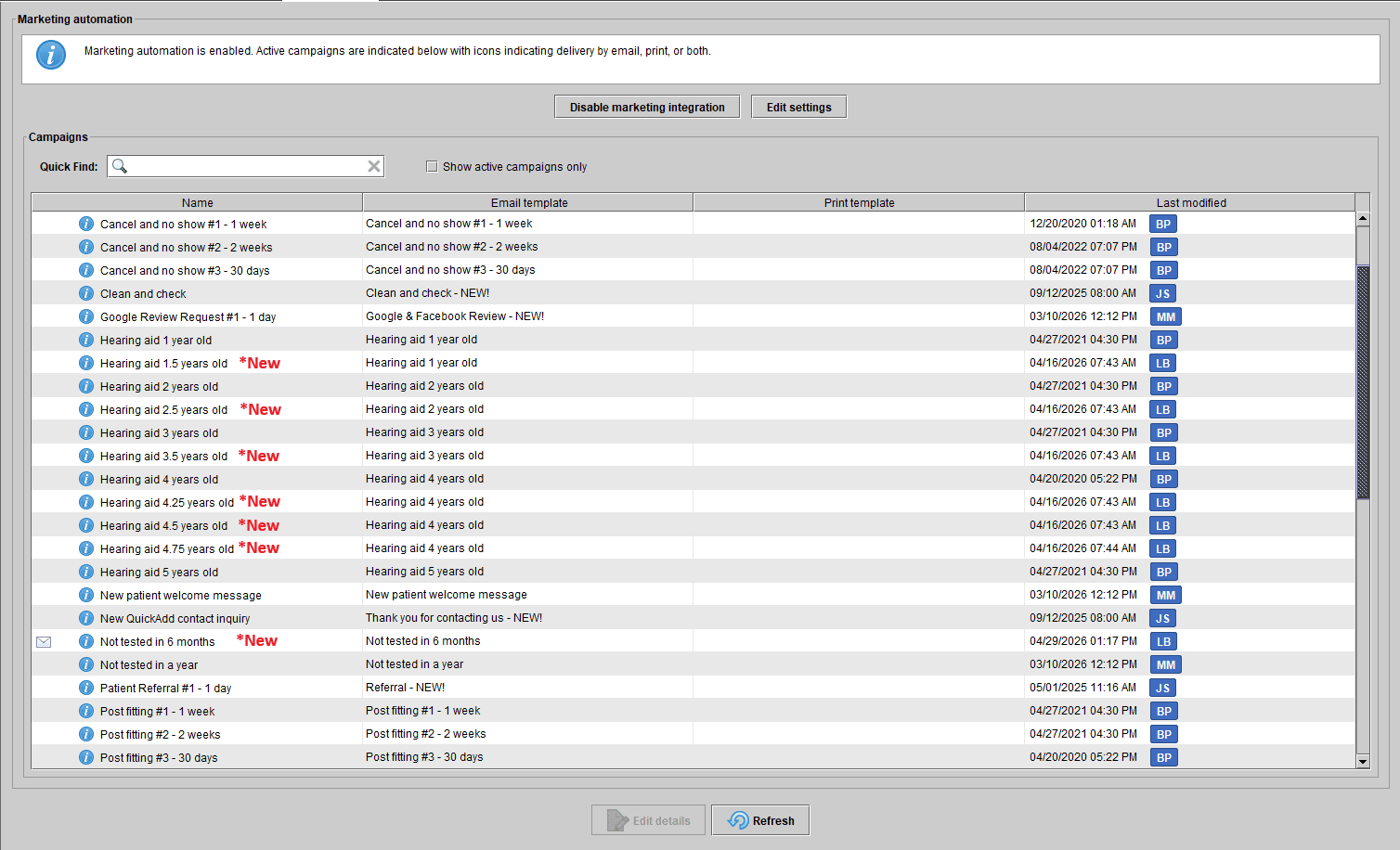
Clinics can now automatically target patients who haven’t been tested in six months, helping you stay proactive with follow-ups and improve continuity of care.
We’ve also expanded hearing aid age targeting with new intervals—including 1.5, 2.5, 3.5, 4.25, 4.5, and 4.75 years—giving you greater precision and flexibility when planning outreach.
With these enhancements, you can deliver more timely, personalized campaigns that drive re-engagement and maximize patient lifetime value.
3. New Full Tab Journal Entry Option
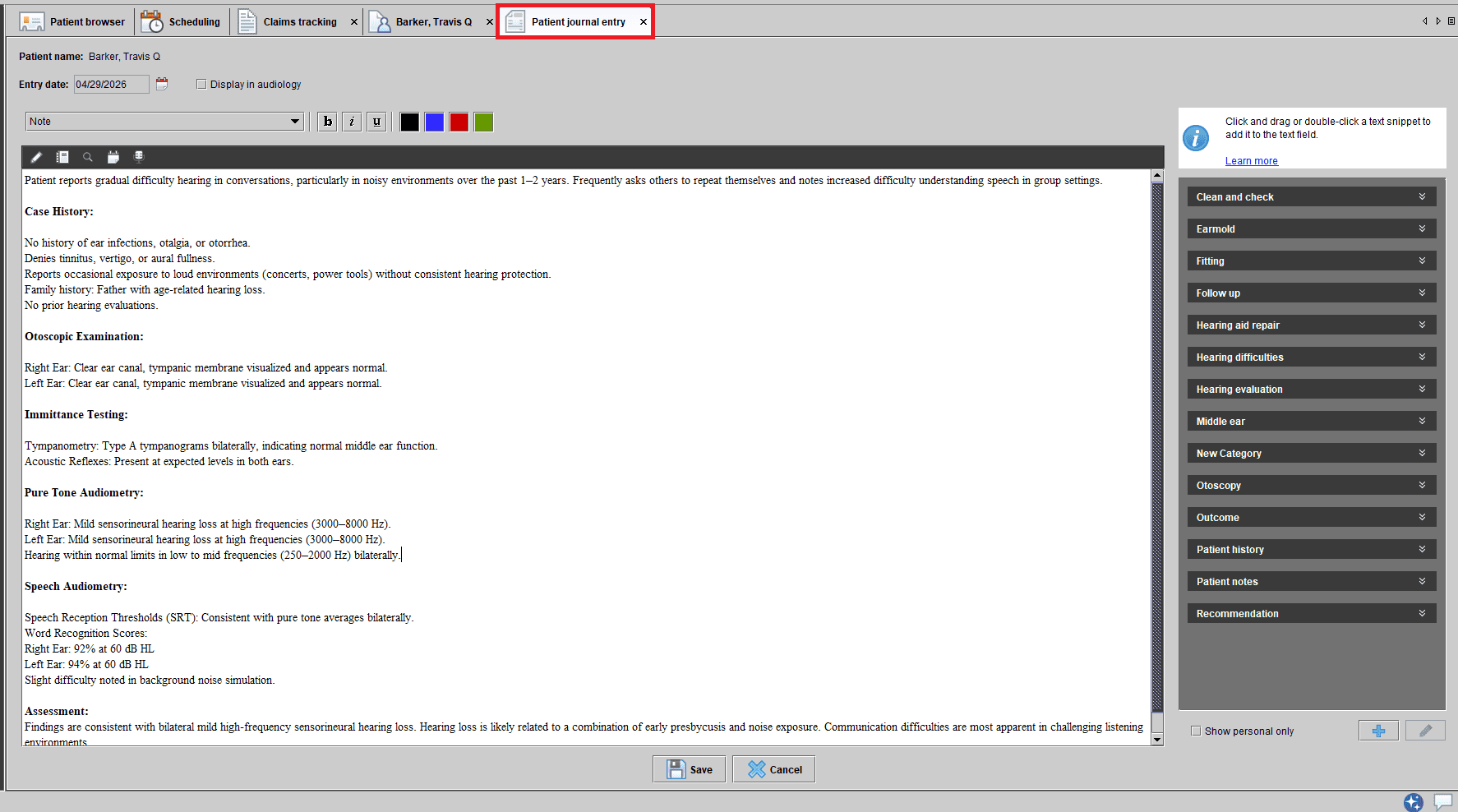
Blueprint OMS has improved the way you create patient journal entries with a more flexible, streamlined workflow.
Within our journal entry screen there is an option to launch a full-size journal entry tab, allowing you to continue documenting while navigating to other areas of the system—such as work items or reports—without interruption.
This enhancement makes multitasking easier and helps you stay efficient without needing to close or restart your journal entries.
4. Optional Duplicate Serial Number Controls
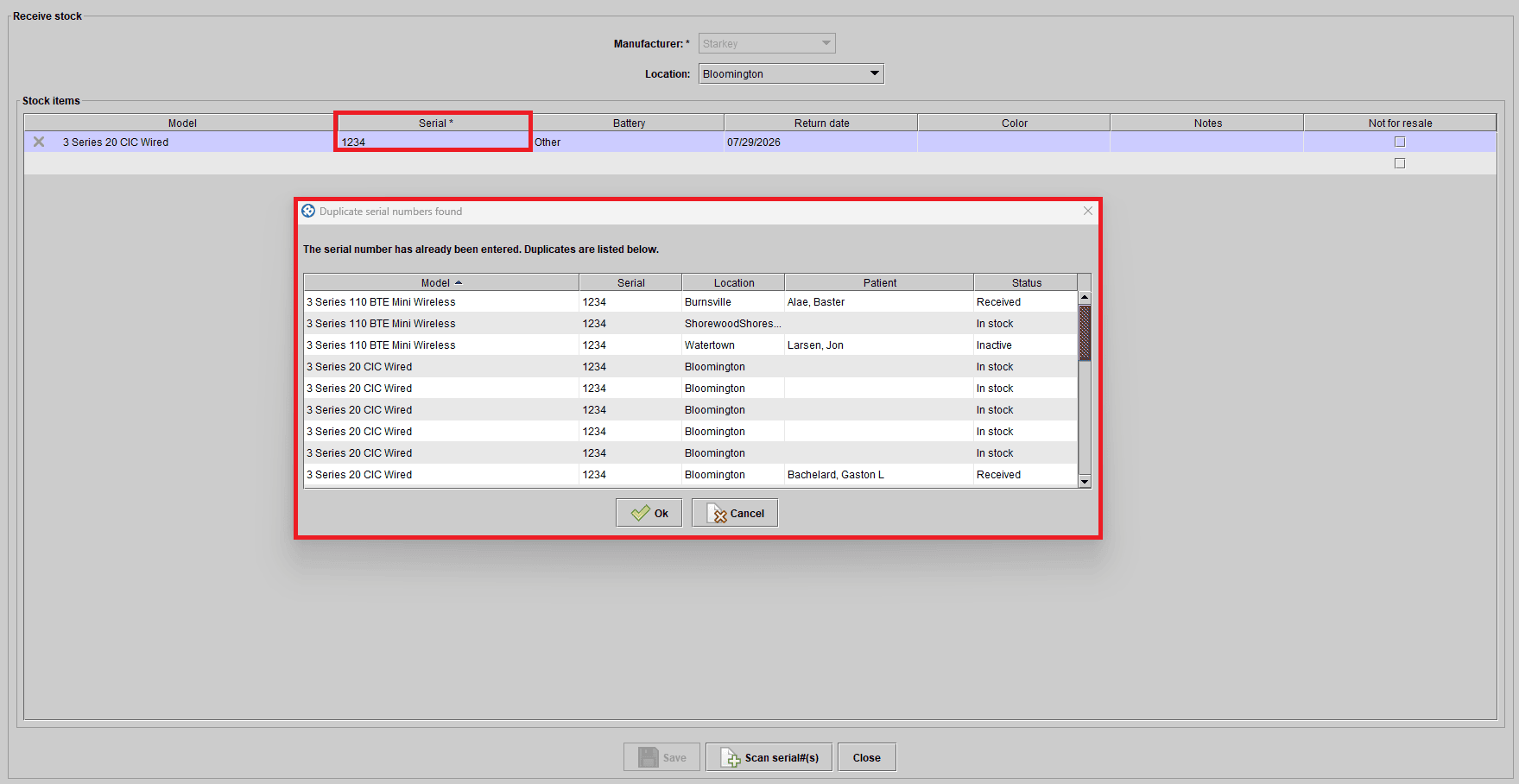
Blueprint OMS now gives clinics greater control over inventory accuracy with flexible duplicate serial number management.
You can choose how the system handles duplicate entries:
- Allow duplicates with no interruption (current behavior)
- Display a warning when a serial number already exists for the same manufacturer
- Block duplicates entirely to ensure data integrity
This added flexibility helps reduce errors, maintain cleaner records, and align system behavior with your clinic’s preferred workflow. Reach out to the Blueprint OMS support team to enable the Display a warning or the Block duplicates entirely option.
—

No comments