Upcoming Enhancements for UK & Ireland
In this article:
New Feature:
-
Support for multiple sales tax rates on transactions
-
New invoice template options now available
-
Eliminate 0.01 discrepancies with QuickBooks
-
Include decimal numbers in tax rates on invoices
-
Simplified process for adding insurers
-
BSA Pure Tone Audiology Symbols
—
1. Support for multiple sales tax rates on transactions
For clinics that use a bespoke VAT rate (e.g. 6%) to reflect a blended supply of taxable aids (20%) and tax-exempt fees, it’s now possible to use multiple tax rates on an invoice.
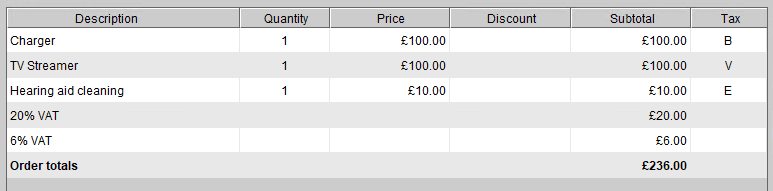
You can set the default tax rate for items under Setup > Catalogs.
2. New invoice template options now available
It’s now possible for your invoices to show a breakdown of the chargeable amounts by tax rate. Depending on the level of tax detail you want shown on your invoice, you can choose from any of the four new invoice template options all of which are available in A4 template size.
- Option 1 – No VAT details
- Option 2 – VAT Rate column
- Option 3 – VAT Rate column, VAT breakdown by rate (shown below)
- Option 4 – Full VAT details, (adds VAT amount column to Option 3)
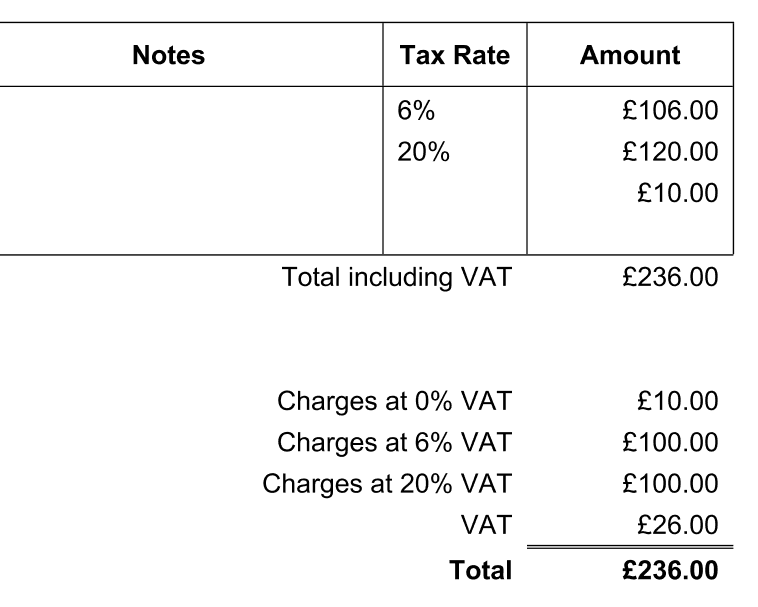
You can find the new templates and set your default templates under Setup > Templates > Accounting Templates.
3. Eliminate 0.01 discrepancies with QuickBooks
We’ve fixed the rounding error that could occasionally cause an 0.01 discrepancy on invoices between Blueprint OMS and QuickBooks.
4. Include decimal numbers in tax rates on invoices
We’ve fixed a bug that caused tax rates with a decimal (e.g. 13.5%) not to show up in customized invoices that use the {{taxRate}} merge field.
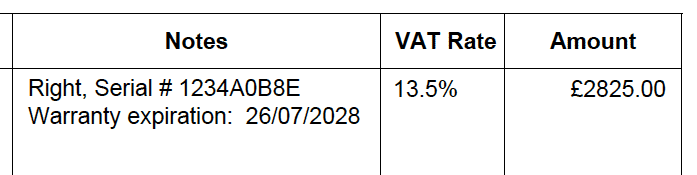
5. Simplified process for adding insurers
In previous versions of Blueprint OMS, the dialog for entering a patient’s insurance information included several complex fields. Now, we’ve simplified the process for adding insurance information to a patient’s file.
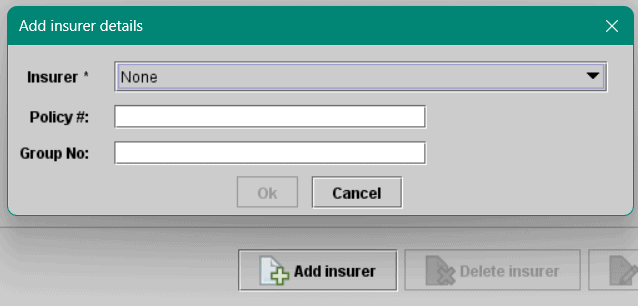
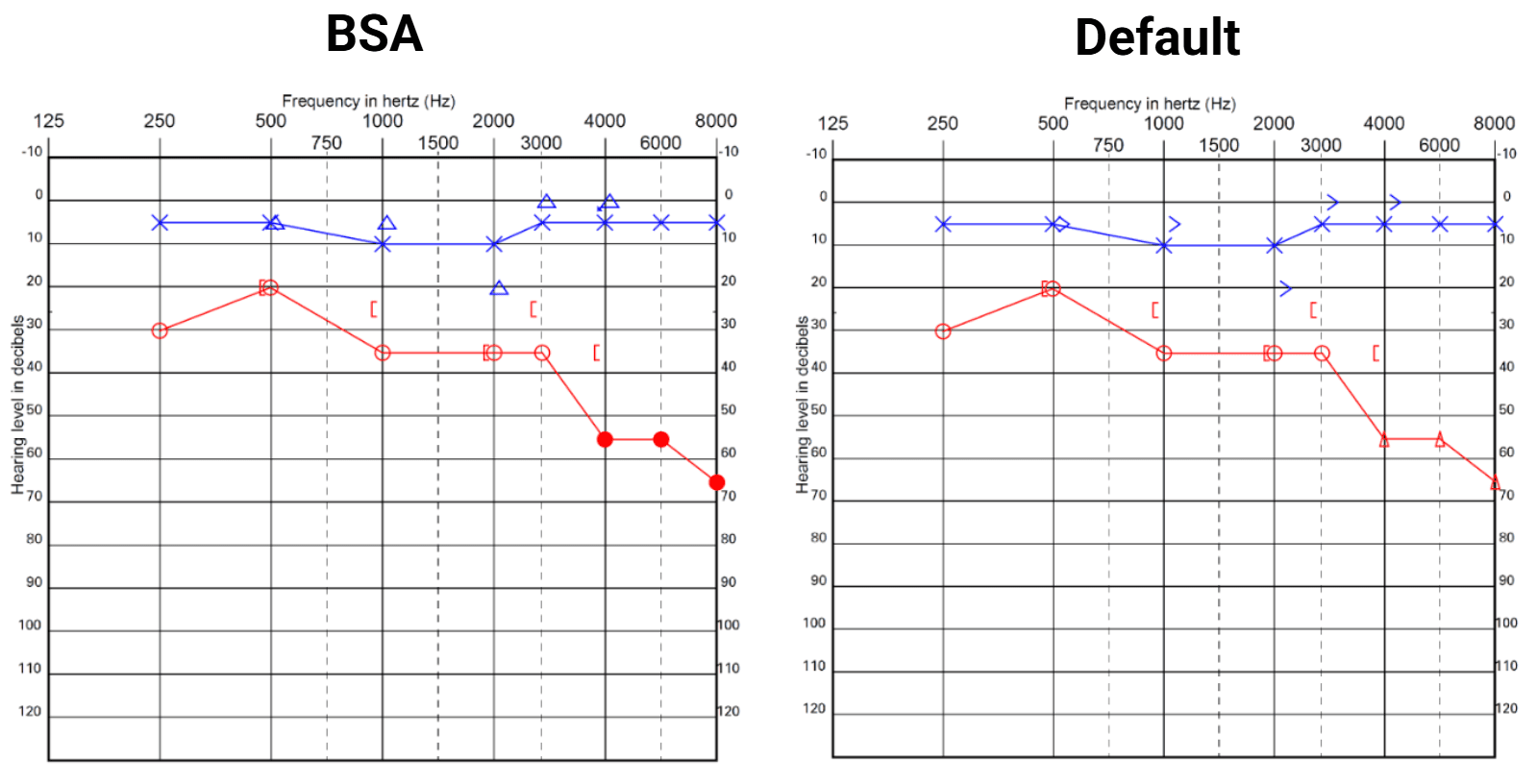
6. BSA Pure Tone Audiology Symbols
Blueprint OMS offers symbols that conform to the guidelines from the British Society of Audiology (BSA). To request these in your system, please submit a support ticket or email support@blueprintsolutions.us.
—

No comments